The verdict
A read in five seconds
Blocking issues, cautions, or neither, with the handful of facts that matter pulled to the top: authority, insurance, safety, and crashes.
Chrome extension
fleetfax opens in a side panel right where you're working. Get a read on a carrier in seconds: contact details, authority and insurance status, how its safety record reads against peer carriers, what trucks it runs, and where it operates, all without opening another tab.
Free, no account. Sits alongside any load board or TMS.
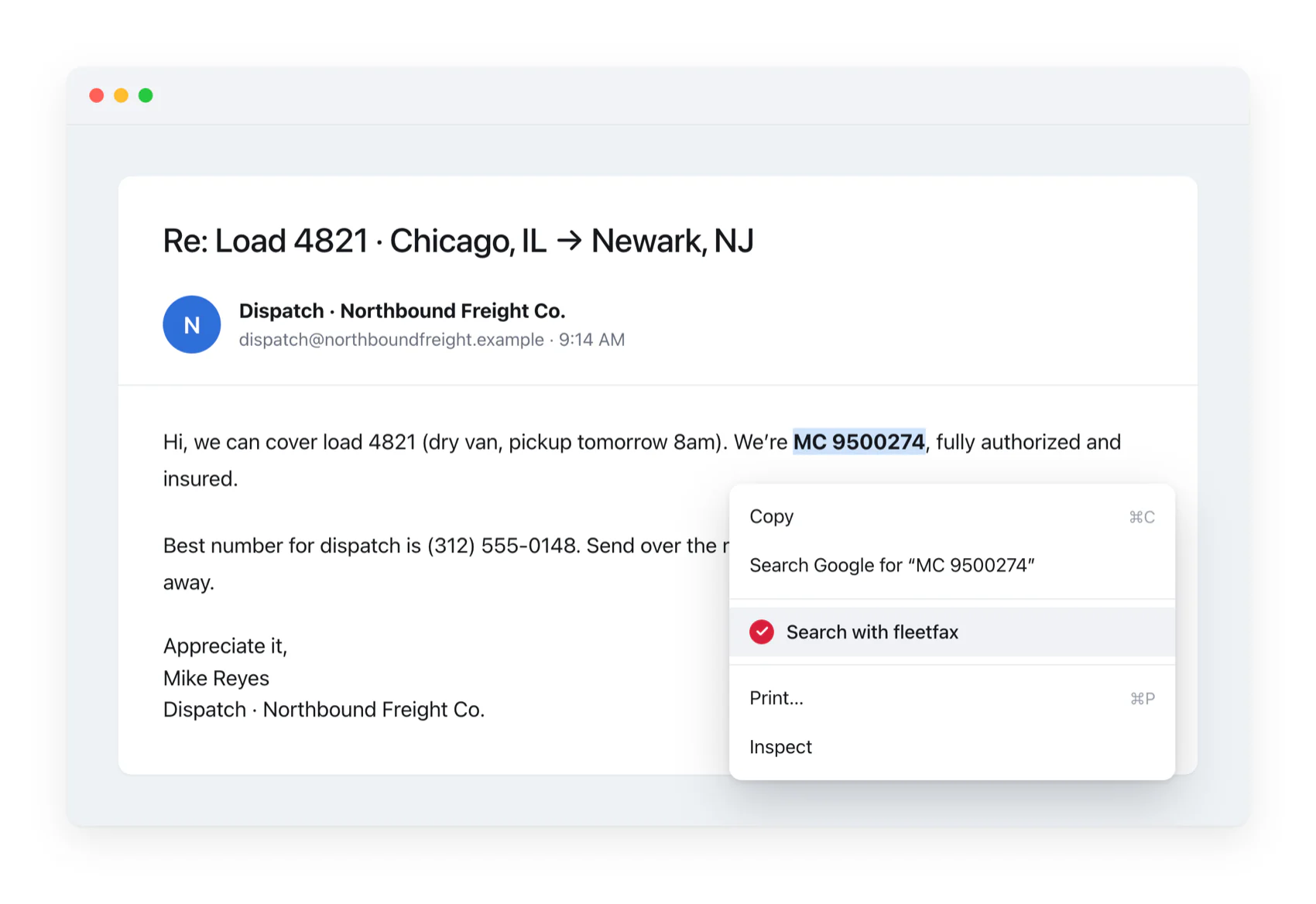
Highlight a USDOT, MC, phone, email, or company name on any page, right-click, and choose Search with fleetfax. The side panel opens right on that carrier, no copy-paste or extra tab necessary.
The verdict
Blocking issues, cautions, or neither, with the handful of facts that matter pulled to the top: authority, insurance, safety, and crashes.
Contact
The phone, cell, email, and address on file with FMCSA in one place, so you can match it against whoever's reaching out.
Authority & insurance
Operating authority and insurance as they stand right now, with the full filing history one click away on fleetfax.com.
Safety vs peers
Raw violation counts don't mean much alone; a bigger fleet racks up more of everything. fleetfax ranks a carrier against others with a similar amount of activity on the road, so you can tell a risky operator from a busy one.
The fleet
The equipment seen on the road in inspections, next to what the carrier claims, so a one-truck operation posing as a fleet stands out. The VIN-by-VIN detail opens on fleetfax.com.
Operating area
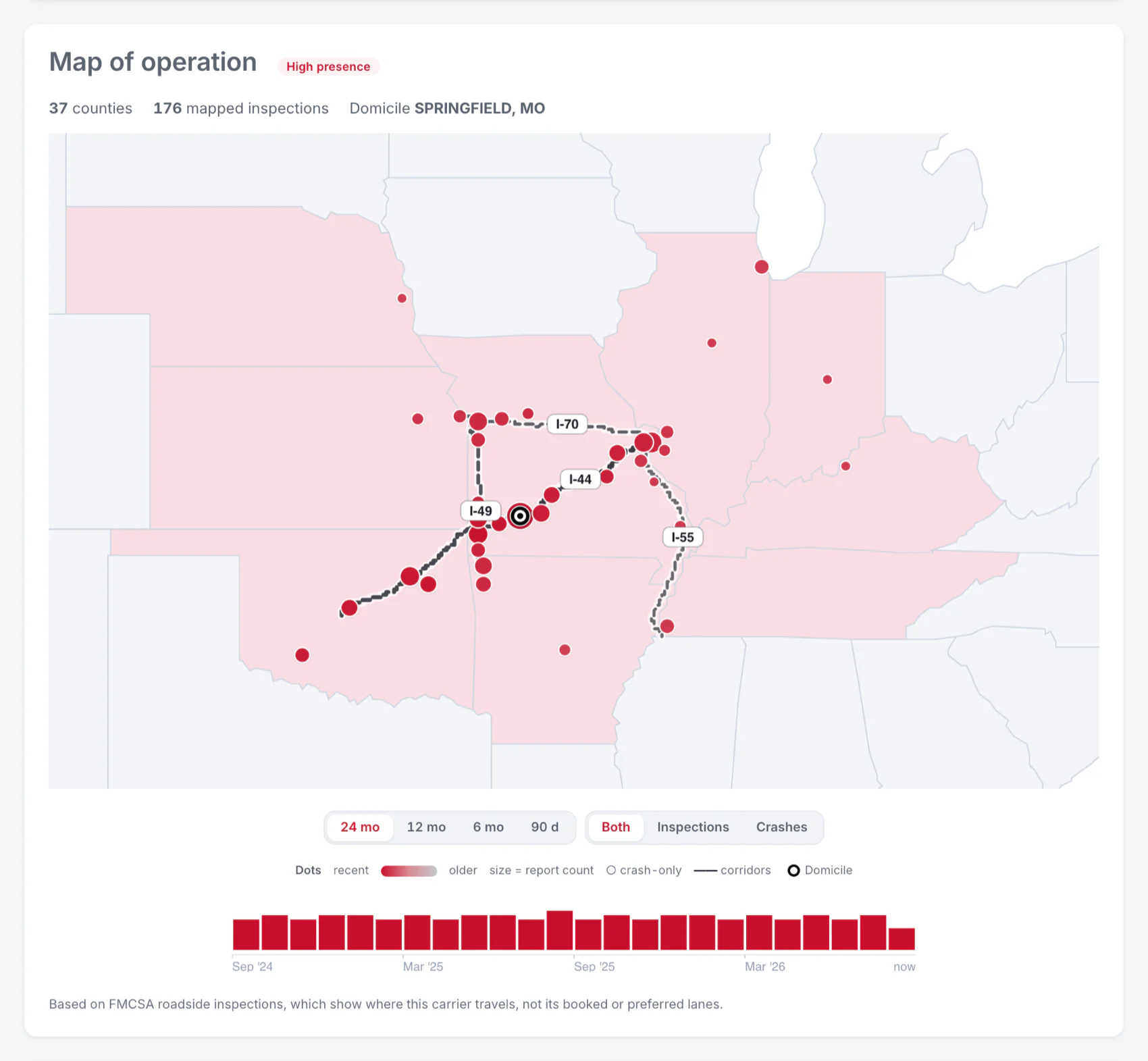
A map built from where the carrier was actually inspected, not the address it filed, so you see the lanes it truly operates.

Open the full report for the carrier straight from the panel. It lives at its own web address that never changes, so pasting that link into the load file reopens the same carrier later. No account needed, and nothing to download and keep track of.
The panel gives you the read. Tap a record section and the full report opens on fleetfax.com, including the complete operating map below and the connections between carriers.
Prefer the browser? Run a report on the site →